
From a topic to a YouTube video, on autopilot
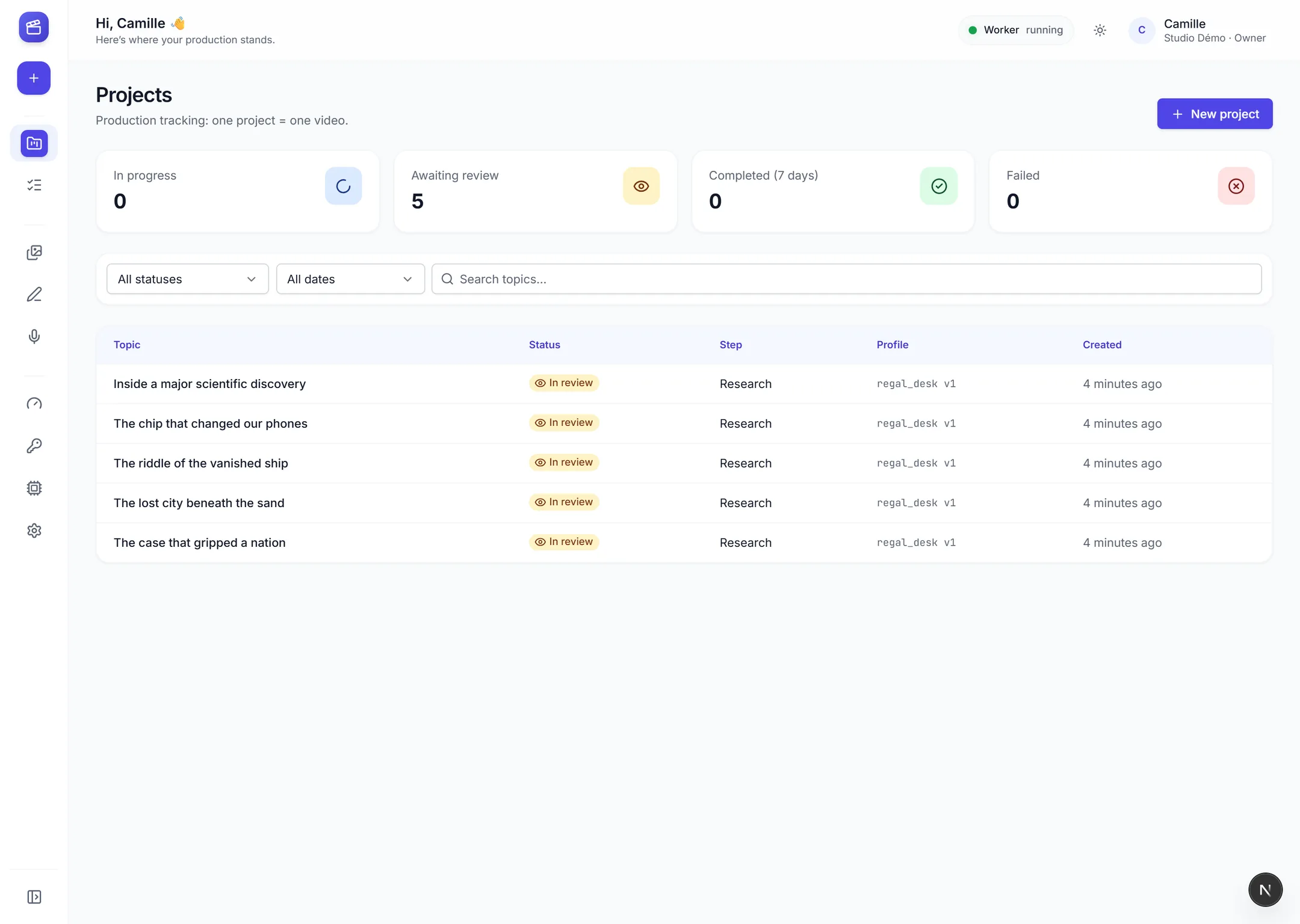
Research, script, voice, editing and render: Creation Pilot produces your publish-ready video, and you review before the render.

For news, history, true-crime, tech channels and many more






For news, history, true-crime, tech channels and many more
Meet Creation Pilot
Your whole video production, in one tool
Creation Pilot chains research, writing, voice, subtitles and editing. You give it a topic and your sources; it delivers a video ready for YouTube.
Research & script
Your sources are read and analysed, then a chapter-structured script is written in your channel's tone.
Length per chapter
This script
Ch. 1
Ch. 2
Ch. 3
Ch. 4
Hook
45 s
Ch. 5
Ch. 6
–
End

Voice & subtitles
A natural voice reads the script, and every word is aligned to the audio for well-timed subtitles and editing.
Voice-over
Documentary narration
In progress

Voice: Léa
6 min 12
Subtitles
Word-by-word aligned
Done
Voice: Thomas
8 min 40
Subtitles
Word-by-word aligned
Done
Voice: Thomas
8 min 40
Editing & render
The editing engine picks the shots, places titles and music, then renders a 1080p video with audio mastered for YouTube.
Shots edited
48 shots
Shots edited
automated steps, from research to render
and audio mastered to YouTube's standards
ways to start: topic, script, voice or both
lines of code: everything is set in plain language
Meet Creation Pilot
Your whole video production, in one tool
Creation Pilot chains research, writing, voice, subtitles and editing. You give it a topic and your sources; it delivers a video ready for YouTube.
Research & script
Your sources are read and analysed, then a chapter-structured script is written in your channel's tone.
Length per chapter
This script
Ch. 1
Ch. 2
Ch. 3
Ch. 4
Hook
45 s
Ch. 5
Ch. 6
–
End
Voice & subtitles
A natural voice reads the script, and every word is aligned to the audio for well-timed subtitles and editing.
Voice-over
Documentary narration
In progress
Voice: Léa
6 min 12
Subtitles
Word-by-word aligned
Done
Voice: Thomas
8 min 40
Subtitles
Word-by-word aligned
Done
Voice: Thomas
8 min 40
Editing & render
The editing engine picks the shots, places titles and music, then renders a 1080p video with audio mastered for YouTube.
Shots edited
48 shots
Shots edited
automated steps, from research to render
and audio mastered to YouTube's standards
ways to start: topic, script, voice or both
lines of code: everything is set in plain language
Meet Creation Pilot
Your whole video production, in one tool
Creation Pilot chains research, writing, voice, subtitles and editing. You give it a topic and your sources; it delivers a video ready for YouTube.
Research & script
Your sources are read and analysed, then a chapter-structured script is written in your channel's tone.
Length per chapter
This script
Ch. 1
Ch. 2
Ch. 3
Ch. 4
Hook
45 s
Ch. 5
Ch. 6
–
End
Voice & subtitles
A natural voice reads the script, and every word is aligned to the audio for well-timed subtitles and editing.
Voice-over
Documentary narration
In progress
Voice: Léa
6 min 12
Subtitles
Word-by-word aligned
Done
Voice: Thomas
8 min 40
Subtitles
Word-by-word aligned
Done
Voice: Thomas
8 min 40
Editing & render
The editing engine picks the shots, places titles and music, then renders a 1080p video with audio mastered for YouTube.
Shots edited
48 shots
Shots edited
automated steps, from research to render
and audio mastered to YouTube's standards
ways to start: topic, script, voice or both
lines of code: everything is set in plain language
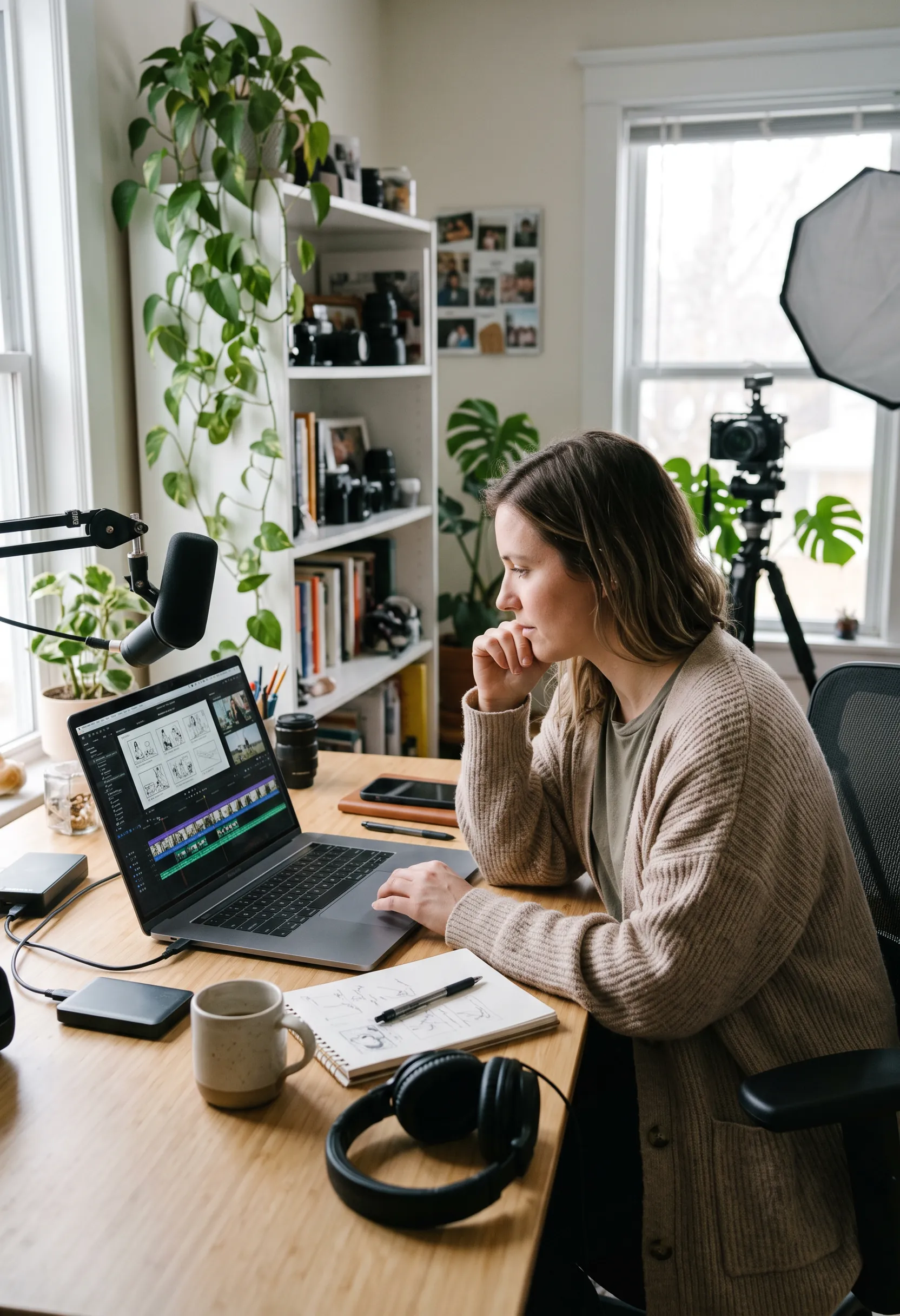
You stay in control before the render
Review the script, adjust the storyboard shot by shot and watch a preview: nothing goes to render without your approval.
Script reviewed and approved before the voice
Editable storyboard, your changes kept
Low-res preview before the final render
No render started without your approval
Review steps you turn on as you need them.
Your channel, your style
A consistent identity, video after video
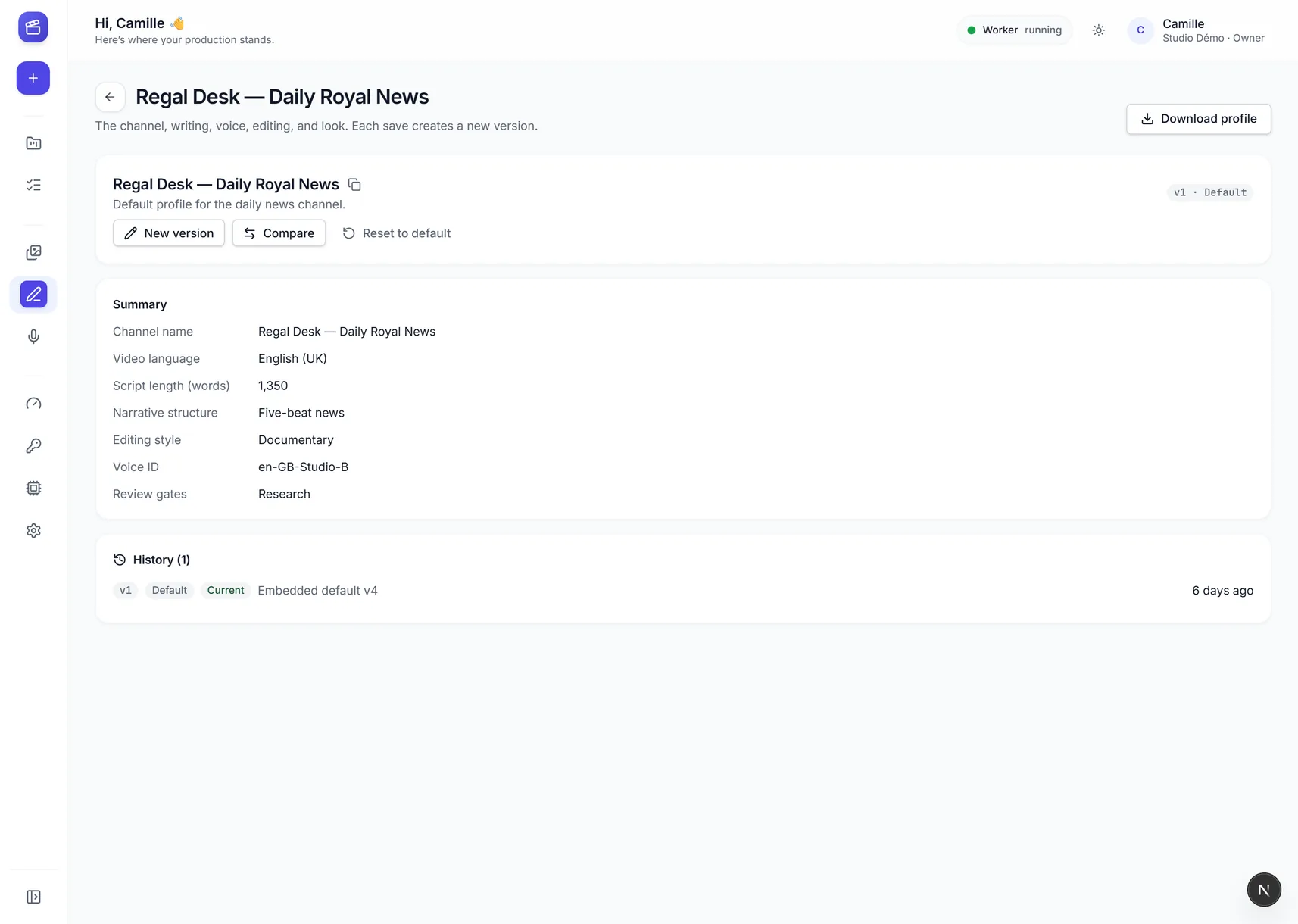
Channel profiles, voices and editing styles: set them once, and Creation Pilot applies them to every video.

Channel profiles
Voice library
Editing styles
Channel profiles
Voice library
Editing styles
" width="12.666487598143254px"><path d="M 4.2 2.66 L 5.19 1.67 C 6.306 0.555 7.766 0.092 9.311 0.016 C 9.912 -0.013 10.212 -0.028 10.453 0.213 C 10.694 0.454 10.68 0.755 10.65 1.356 C 10.575 2.901 10.112 4.361 8.997 5.476 L 8.007 6.466 C 7.191 7.282 6.959 7.514 7.13 8.398 C 7.3 9.074 7.463 9.728 6.971 10.22 C 6.375 10.816 5.831 10.816 5.236 10.22 L 0.446 5.431 C -0.149 4.835 -0.149 4.291 0.446 3.695 C 0.938 3.204 1.592 3.367 2.268 3.536 C 3.153 3.708 3.385 3.476 4.2 2.66 Z" fill="transparent" height="10.66679813653299px" id="LmUN7ZUlr" stroke-dasharray="" stroke-linecap="butt" stroke-linejoin="round" stroke-width="1.5" stroke="rgb(51, 85, 255)" transform="translate(2 0)" width="10.666487598143249px"/><path d="M 0 0 L 0.007 0" fill="transparent" height="1px" id="HtgETa77P" stroke-dasharray="" stroke-linecap="round" stroke-linejoin="round" stroke-width="2" stroke="rgb(51, 85, 255)" transform="translate(10 3)" width="1px"/><path d="M 0 5.333 L 3.333 2 M 4 5.333 L 5.333 4 M 0 1.333 L 1.333 0" fill="transparent" height="5.332999999999998px" id="ixXTX20Ld" stroke-dasharray="" stroke-linecap="round" stroke-linejoin="miter" stroke-miterlimit="10" stroke-width="1.5" stroke="rgb(51, 85, 255)" transform="translate(0 7.5)" width="5.333px"/></g></svg>)
Features
Everything you need to publish regularly
Writing, voice and editing together in a single tool, to produce polished videos without editing them yourself.
Four ways to start
A topic and sources, your script, your voice-over, or both: the pipeline adapts to what you bring.
Natural voices
A voice library to preview, filter and favourite, with a dedicated voice for each channel.
Documentary editing
Shots chosen from your library, with transitions, music and effects placed at the right moment, no repeats.
Motion design and branding
Animated maps, quotes, figures and chapter titles, in your channel's colours.
Subtitles, chapters, credits
Delivered with the video: subtitles, YouTube chapters and source credits, ready to copy.
Your media stays with you
Your video and image library can stay on your PC: the local agent analyses it and renders on the spot.
Features
Everything you need to publish regularly
Writing, voice and editing together in a single tool, to produce polished videos without editing them yourself.
Four ways to start
A topic and sources, your script, your voice-over, or both: the pipeline adapts to what you bring.
Natural voices
A voice library to preview, filter and favourite, with a dedicated voice for each channel.
Documentary editing
Shots chosen from your library, with transitions, music and effects placed at the right moment, no repeats.
Motion design and branding
Animated maps, quotes, figures and chapter titles, in your channel's colours.
Subtitles, chapters, credits
Delivered with the video: subtitles, YouTube chapters and source credits, ready to copy.
Your media stays with you
Your video and image library can stay on your PC: the local agent analyses it and renders on the spot.
Without the complexity
Built for creators, not engineers
Built for creators, not engineers
Everything is set in plain language, an assistant guides you, and both the interface and the videos speak your language.
Everything is set in plain language, an assistant guides you, and both the interface and the videos speak your language.
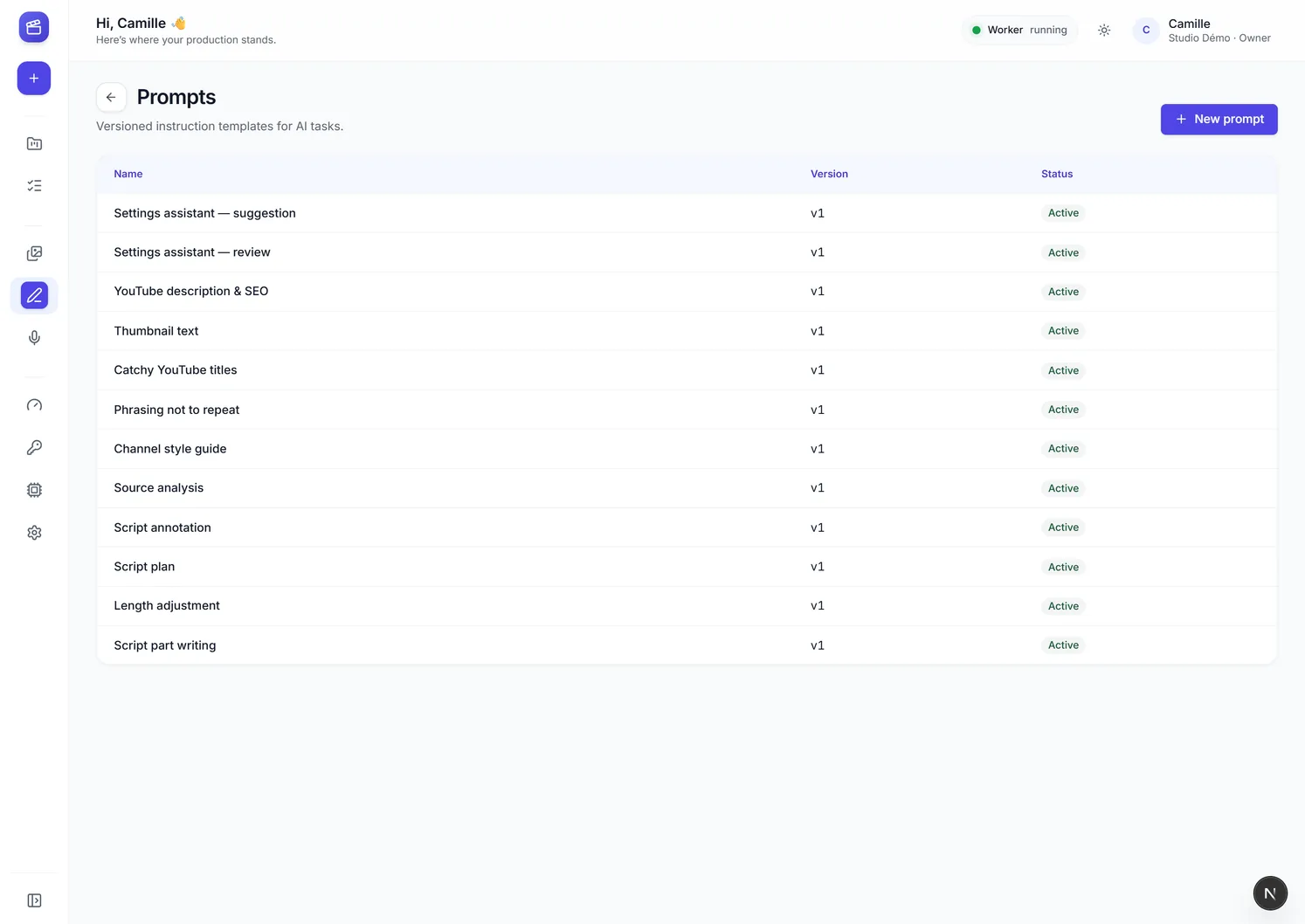
Settings in plain language
Guided forms instead of config files: every setting is explained.
Settings assistant
Describe what you want: the assistant proposes the settings, and you approve before anything is saved.
Multilingual
Interface in French or English, videos in your channel's language.
Settings in plain language
Guided forms instead of config files: every setting is explained.
Settings assistant
Describe what you want: the assistant proposes the settings, and you approve before anything is saved.
Multilingual
Interface in French or English, videos in your channel's language.
Settings in plain language
Guided forms instead of config files: every setting is explained.
Settings assistant
Describe what you want: the assistant proposes the settings, and you approve before anything is saved.
Multilingual
Interface in French or English, videos in your channel's language.
" width="13.334px"><path d="M 5.13 1.08 C 5.878 0.355 6.252 -0.007 6.71 0 C 7.167 0.007 7.529 0.381 8.254 1.13 C 8.978 1.877 9.341 2.251 9.334 2.709 C 9.326 3.166 8.952 3.529 8.204 4.253 C 7.456 4.978 7.082 5.341 6.624 5.333 C 6.167 5.326 5.804 4.952 5.08 4.204 C 4.355 3.456 3.993 3.082 4 2.624 C 4.008 2.167 4.382 1.804 5.13 1.08 Z M 3.334 7.667 C 3.334 8.588 2.588 9.334 1.667 9.334 C 0.746 9.334 0 8.588 0 7.667 C 0 6.746 0.746 6 1.667 6 C 2.588 6 3.334 6.746 3.334 7.667 Z M 13.334 7.667 C 13.334 6.746 12.588 6 11.667 6 C 10.746 6 10 6.746 10 7.667 C 10 8.588 10.746 9.334 11.667 9.334 C 12.588 9.334 13.334 8.588 13.334 7.667 Z" fill="transparent" height="9.334099658966066px" id="AXTGqhcaF" stroke-dasharray="" stroke-linecap="butt" stroke-linejoin="miter" stroke-miterlimit="10" stroke-width="1" stroke="rgb(51, 85, 255)" width="13.334px"/><path d="M 3.667 1 L 3.667 5.667 M 2 0 L 0 2 M 5.334 0 L 7.334 2" fill="transparent" height="5.666999999999998px" id="ENPtWv5VB" stroke-dasharray="" stroke-linecap="round" stroke-linejoin="round" stroke-width="1" stroke="rgb(51, 85, 255)" transform="translate(3 4)" width="7.3340001106262225px"/><path d="M 0 1.6 C 0 0.846 0 0.469 0.235 0.234 C 0.469 0 0.846 0 1.6 0 L 1.734 0 C 2.488 0 2.865 0 3.099 0.234 C 3.334 0.469 3.334 0.846 3.334 1.6 L 3.334 1.733 C 3.334 2.488 3.334 2.865 3.099 3.099 C 2.865 3.333 2.488 3.333 1.734 3.333 L 1.6 3.333 C 0.846 3.333 0.469 3.333 0.235 3.099 C 0 2.865 0 2.488 0 1.733 Z" fill="transparent" height="3.333000000000002px" id="Vhs2zilOM" stroke-dasharray="" stroke-linecap="butt" stroke-linejoin="miter" stroke-miterlimit="10" stroke-width="1" stroke="rgb(51, 85, 255)" transform="translate(5 10)" width="3.33400000000006px"/></g></svg>)
How it works
Three steps, from idea to video
You bring the material, you review, you publish. Creation Pilot handles everything in between.
News article
News article
Add
Add
Official report
Official report
Add
Add
Interview
Interview
Add
Add
Your notes
Your notes
Add
Add
Other source
Other source
Add
Add
1. A topic and your sources
Paste your links or your own script: Creation Pilot reads, cross-checks and organises the material.
Script · 1,450 words
Script · 1,450 words
Today's story
Today's story
Your channel
In review
In review
8 min
8 min
Chapter 2
Chapter 2
The facts, in order
The facts, in order
Voice: Léa
Voice: Léa
Documentary narration
Documentary narration
2. You review
Script, storyboard and preview: you fix anything you want, nothing goes out without your approval.
Deliverables
Deliverables
Ready to publish
Ready to publish
MP4 1080p
MP4 1080p
Video
Video
SRT
SRT
Subtitles
Subtitles
Chapters
Chapters
3. You publish
Download the video, the titles, the description and the chapters, then move on to the next one.
Download the video, the titles, the description and the chapters, then move on to the next one.
How it works
Three steps, from idea to video
You bring the material, you review, you publish. Creation Pilot handles everything in between.
News article
Add
Official report
Add
Interview
Add
Your notes
Add
Other source
Add
1. A topic and your sources
Paste your links or your own script: Creation Pilot reads, cross-checks and organises the material.
Script · 1,450 words
Today's story
Your channel
In review
8 min
Chapter 2
The facts, in order
Voice: Léa
Documentary narration
2. You review
Script, storyboard and preview: you fix anything you want, nothing goes out without your approval.
Deliverables
Ready to publish
MP4 1080p
Video
SRT
Subtitles
Chapters
3. You publish
Download the video, the titles, the description and the chapters, then move on to the next one.
Formats
Illustrations: none of these videos has been published yet
One format per channel, applied to every video
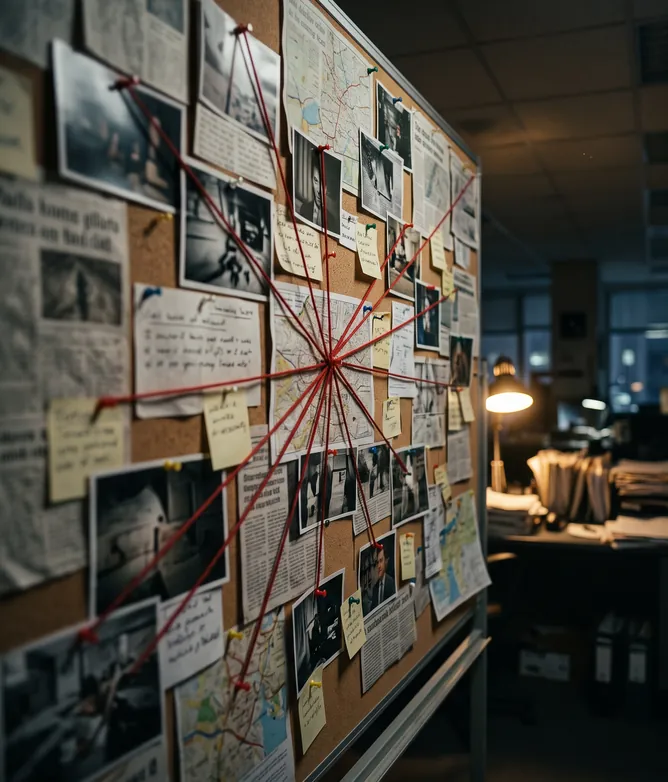
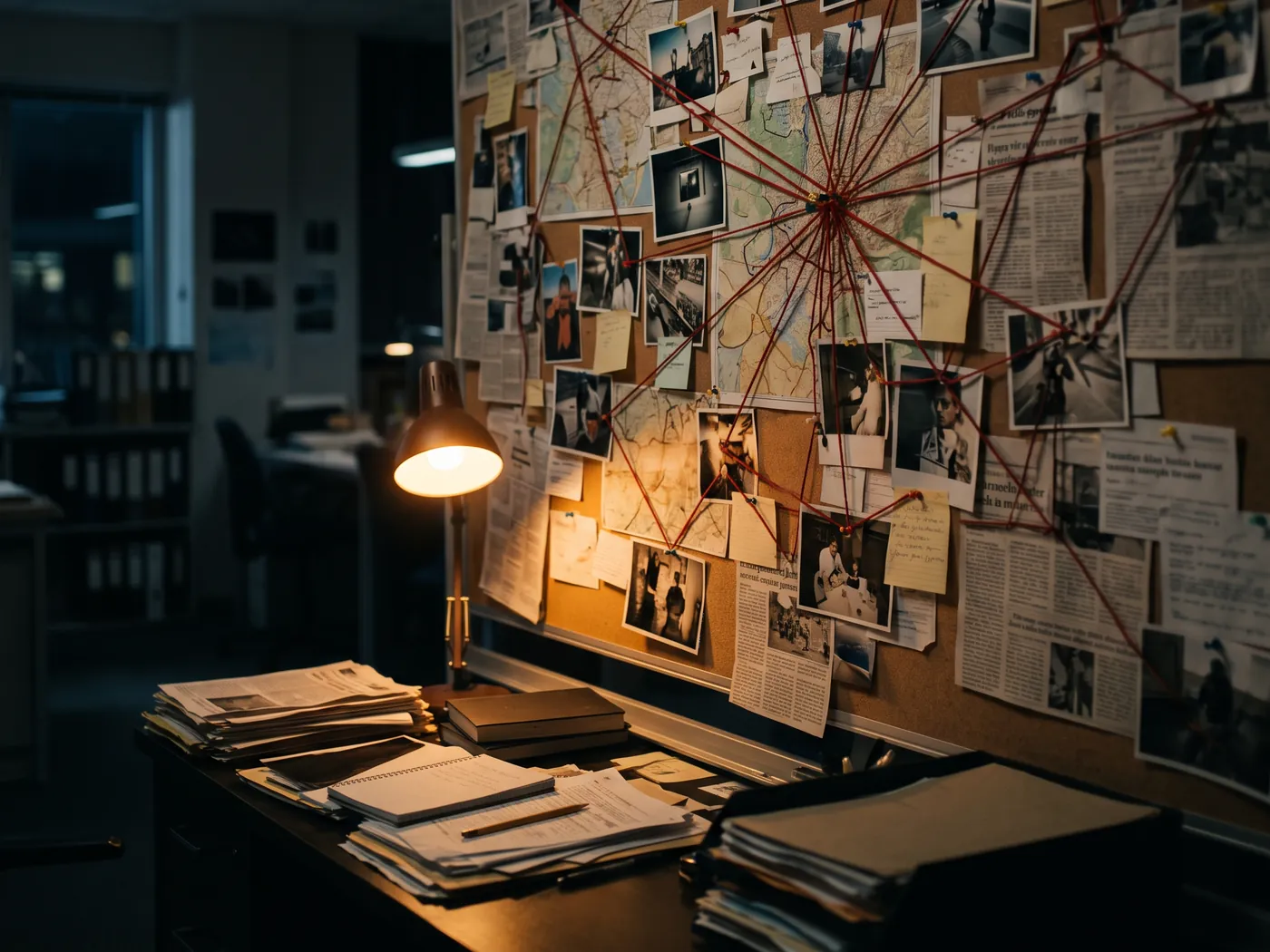
A six-chapter investigation, sources cited on screen, tight pacing. For example: “The case that gripped a nation”.
News channel
Investigation format
target length
chapters
A six-chapter investigation, sources cited on screen, tight pacing. For example: “The case that gripped a nation”.
News channel
Investigation format
target length
chapters
A six-chapter investigation, sources cited on screen, tight pacing. For example: “The case that gripped a nation”.
News channel
Investigation format
target length
chapters
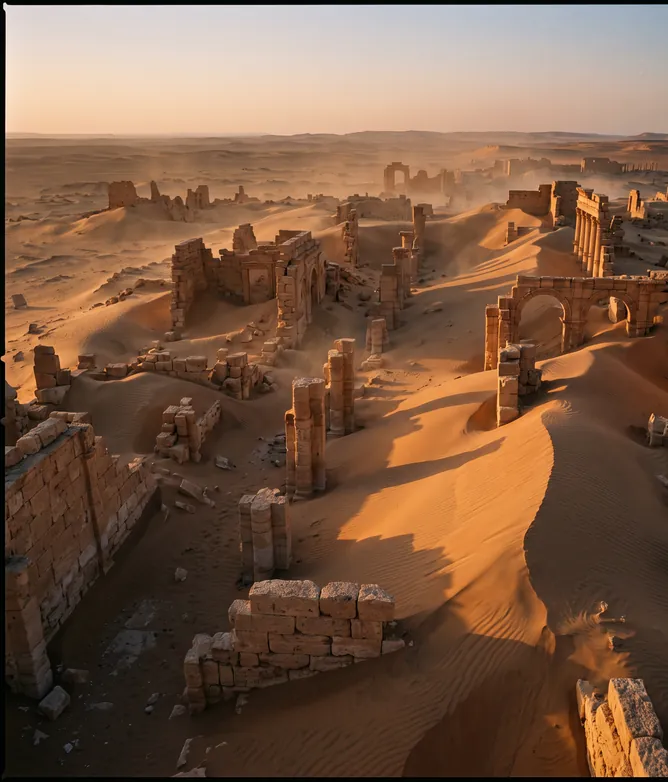
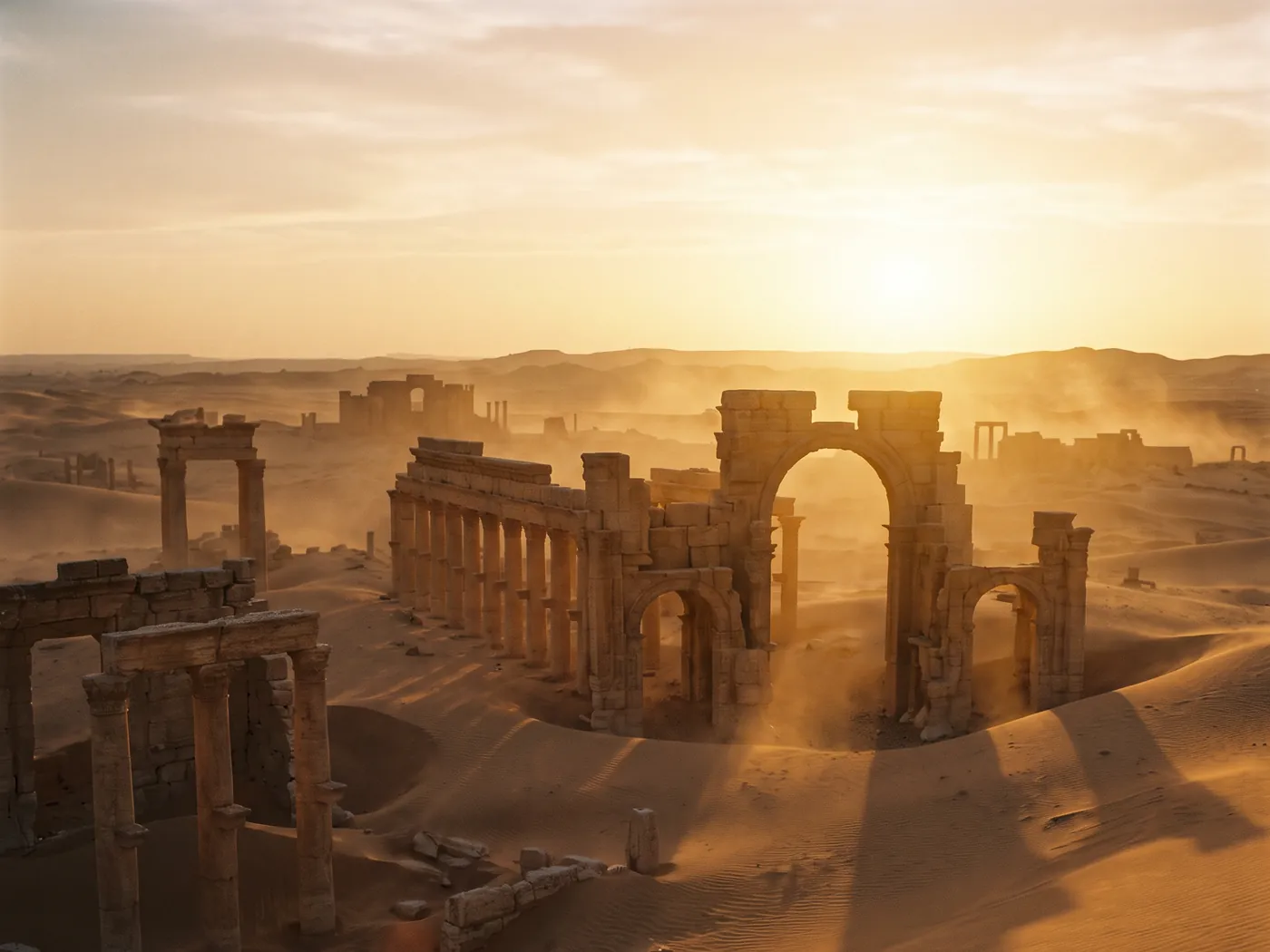
A five-chapter story, measured narration, archives and animated maps. For example: “The lost city beneath the sand”.
History channel
Story format
target length
chapters
A five-chapter story, measured narration, archives and animated maps. For example: “The lost city beneath the sand”.
History channel
Story format
target length
chapters
A five-chapter story, measured narration, archives and animated maps. For example: “The lost city beneath the sand”.
History channel
Story format
target length
chapters
" transform="translate(5 5)" width="13.332998634338377px"/></svg>)
Providers
Your providers, your keys
Creation Pilot works with the AI, voice and transcription providers you choose, with your own keys if you wish.



Providers
Your providers, your keys
Creation Pilot works with the AI, voice and transcription providers you choose, with your own keys if you wish.
" width="13.333999816894533px"><path d="M 4.333 2.667 C 6.727 2.667 8.667 2.07 8.667 1.333 C 8.667 0.597 6.727 0 4.333 0 C 1.94 0 0 0.597 0 1.333 C 0 2.07 1.94 2.667 4.333 2.667 Z M 8.667 4.333 C 8.667 5.069 6.727 5.666 4.333 5.666 C 1.94 5.666 0 5.069 0 4.333" fill="transparent" height="5.666000183105467px" id="QdbZEC3I6" stroke-dasharray="" stroke-linecap="butt" stroke-linejoin="miter" stroke-miterlimit="10" stroke-width="1" stroke="rgb(51, 85, 255)" transform="translate(4.5 4.5)" width="8.667px"/><path d="M 13.334 6 L 13.334 11.867 C 13.334 12.677 11.394 13.333 9 13.333 C 6.607 13.333 4.667 12.677 4.667 11.867 L 4.667 6 M 4.334 2.667 C 6.727 2.667 8.667 2.07 8.667 1.333 C 8.667 0.597 6.727 0 4.334 0 C 1.94 0 0 0.597 0 1.333 C 0 2.07 1.94 2.667 4.334 2.667 Z" fill="transparent" height="13.333000000000002px" id="uBreZ5lfT" stroke-dasharray="" stroke-linecap="butt" stroke-linejoin="miter" stroke-miterlimit="10" stroke-width="1" stroke="rgb(51, 85, 255)" width="13.333999816894533px"/><path d="M 2.667 1.333 C 1.406 1.18 0.247 0.783 0 0 M 2.667 4.667 C 1.406 4.513 0.247 4.117 0 3.333" fill="transparent" height="4.666999944686889px" id="BlDR514Q3" stroke-dasharray="" stroke-linecap="round" stroke-linejoin="miter" stroke-miterlimit="10" stroke-width="1" stroke="rgb(51, 85, 255)" transform="translate(0 4.5)" width="2.667px"/><path d="M 2.667 11.333 C 1.406 11.18 0.247 10.783 0 10 L 0 0 M 8.667 1.333 L 8.667 0" fill="transparent" height="11.333px" id="WFtjk7amf" stroke-dasharray="" stroke-linecap="round" stroke-linejoin="miter" stroke-miterlimit="10" stroke-width="1" stroke="rgb(51, 85, 255)" transform="translate(0 1)" width="8.666999816894531px"/></g></svg>)
Pricing
Invite-only beta
Our keys
Your keys
Creator
invite-only
Limited spots during the private beta.
1 channel
Videos up to 10 min
Research, script, voice and editing
Review before render
Support during the beta
Recommended
Studio
invite-only
Limited spots during the private beta.
3 channels
Videos up to 20 min
Research, script, voice and editing
Review before render
Support during the beta
Agency
invite-only
Limited spots during the private beta.
Unlimited channels
Local agent and your own keys
Research, script, voice and editing
Review before render
Support during the beta
You use the platform's keys: nothing to set up.You plug in your own keys (AI, voice, transcription) and keep control of your costs.
Our keys
Your keys
Creator
invite-only
Limited spots during the private beta.
1 channel
Videos up to 10 min
Research, script, voice and editing
Review before render
Support during the beta
Recommended
Studio
invite-only
Limited spots during the private beta.
3 channels
Videos up to 20 min
Research, script, voice and editing
Review before render
Support during the beta
Agency
invite-only
Limited spots during the private beta.
Unlimited channels
Local agent and your own keys
Research, script, voice and editing
Review before render
Support during the beta
You use the platform's keys: nothing to set up.You plug in your own keys (AI, voice, transcription) and keep control of your costs.
Our keys
Your keys
Creator
invite-only
Limited spots during the private beta.
1 channel
Videos up to 10 min
Research, script, voice and editing
Review before render
Support during the beta
Recommended
Studio
invite-only
Limited spots during the private beta.
3 channels
Videos up to 20 min
Research, script, voice and editing
Review before render
Support during the beta
Agency
invite-only
Limited spots during the private beta.
Unlimited channels
Local agent and your own keys
Research, script, voice and editing
Review before render
Support during the beta
You use the platform's keys: nothing to set up.You plug in your own keys (AI, voice, transcription) and keep control of your costs.
" width="13.16700000000003px"><path d="M 6.667 3.189 C 6.667 4.949 5.174 6.378 3.333 6.378 C 3.117 6.378 2.901 6.358 2.689 6.318 C 2.535 6.289 2.459 6.275 2.405 6.283 C 2.352 6.291 2.276 6.332 2.125 6.413 C 1.694 6.642 1.197 6.719 0.717 6.631 C 0.899 6.406 1.024 6.137 1.079 5.848 C 1.113 5.672 1.03 5.5 0.906 5.374 C 0.327 4.794 0.002 4.008 0 3.189 C 0 1.428 1.492 0 3.333 0 C 5.174 0 6.667 1.428 6.667 3.189 Z" fill="transparent" height="6.6665912473613px" id="ieddlXz0X" stroke-dasharray="" stroke-linecap="butt" stroke-linejoin="round" stroke-width="1" stroke="rgb(51, 85, 255)" transform="translate(6.5 0)" width="6.66700000000003px"/><path d="M 0 0 L 0.006 0 M 2 0 L 2.006 0" fill="transparent" height="1px" id="S9qsy2Z3Z" stroke-dasharray="" stroke-linecap="round" stroke-linejoin="miter" stroke-miterlimit="10" stroke-width="1" stroke="rgb(51, 85, 255)" transform="translate(9 3.5)" width="2.0060000000000002px"/><path d="M 3.667 8.322 L 1.811 8.322 C 1.595 8.327 1.381 8.288 1.181 8.207 C 0.537 7.93 0.211 7.564 0.058 7.335 C -0.026 7.205 -0.018 7.036 0.078 6.915 C 0.824 5.923 2.558 5.324 3.671 5.324 C 4.783 5.324 6.514 5.923 7.261 6.914 C 7.356 7.036 7.364 7.205 7.28 7.335 C 7.128 7.565 6.8 7.93 6.156 8.207 C 5.956 8.288 5.741 8.327 5.526 8.322 Z M 5.523 1.849 C 5.522 2.34 5.327 2.81 4.98 3.157 C 4.632 3.503 4.162 3.698 3.671 3.697 C 3.18 3.698 2.709 3.503 2.361 3.157 C 2.014 2.81 1.818 2.339 1.818 1.848 C 1.818 0.828 2.648 0 3.671 0 C 4.162 -0.001 4.632 0.194 4.98 0.54 C 5.327 0.887 5.522 1.357 5.523 1.848 Z" fill="transparent" height="8.32239389945952px" id="o9LfJrfKG" stroke-dasharray="" stroke-linecap="round" stroke-linejoin="round" stroke-width="1" stroke="rgb(51, 85, 255)" transform="translate(0 4.5)" width="7.338089133127548px"/></g></svg>)
FAQ
Questions?
Everything you need to know about Creation Pilot, the beta and producing your videos.
Another question? Write to us: during the beta, we answer every message.

What is Creation Pilot?
Creation Pilot turns a topic and sources into a publish-ready YouTube video: research, script, voice, subtitles, editing and render, with a review before the render.
What kinds of channels is it for?
Channels that tell stories from sources: news, history, true crime, tech, culture… You give the topic and the sources, and Creation Pilot produces the video in your channel's format.
How do I join the beta?
The beta is invite-only, opening to a few creators each week. Join the waitlist: we'll email you as soon as a spot opens up.
In which languages?
The interface is in French or English. Videos are produced in your channel's language, regardless of the interface language.
What about image rights?
You use your own media library, or sources whose rights you control. Media can stay on your machine: the local agent analyses it and renders on the spot.
Do I need my own AI keys?
Not necessarily. During the beta you can use the platform's keys, or plug in your own keys (AI, voice, transcription) to keep control of your costs.
FAQ
Questions?
Everything you need to know about Creation Pilot, the beta and producing your videos.
Another question? Write to us: during the beta, we answer every message.
What is Creation Pilot?
Creation Pilot turns a topic and sources into a publish-ready YouTube video: research, script, voice, subtitles, editing and render, with a review before the render.
What kinds of channels is it for?
Channels that tell stories from sources: news, history, true crime, tech, culture… You give the topic and the sources, and Creation Pilot produces the video in your channel's format.
How do I join the beta?
The beta is invite-only, opening to a few creators each week. Join the waitlist: we'll email you as soon as a spot opens up.
In which languages?
The interface is in French or English. Videos are produced in your channel's language, regardless of the interface language.
What about image rights?
You use your own media library, or sources whose rights you control. Media can stay on your machine: the local agent analyses it and renders on the spot.
Do I need my own AI keys?
Not necessarily. During the beta you can use the platform's keys, or plug in your own keys (AI, voice, transcription) to keep control of your costs.
FAQ
Questions?
Everything you need to know about Creation Pilot, the beta and producing your videos.
Another question? Write to us: during the beta, we answer every message.
What is Creation Pilot?
Creation Pilot turns a topic and sources into a publish-ready YouTube video: research, script, voice, subtitles, editing and render, with a review before the render.
What kinds of channels is it for?
Channels that tell stories from sources: news, history, true crime, tech, culture… You give the topic and the sources, and Creation Pilot produces the video in your channel's format.
How do I join the beta?
The beta is invite-only, opening to a few creators each week. Join the waitlist: we'll email you as soon as a spot opens up.
In which languages?
The interface is in French or English. Videos are produced in your channel's language, regardless of the interface language.
What about image rights?
You use your own media library, or sources whose rights you control. Media can stay on your machine: the local agent analyses it and renders on the spot.
Do I need my own AI keys?
Not necessarily. During the beta you can use the platform's keys, or plug in your own keys (AI, voice, transcription) to keep control of your costs.
" width="13.166999999999916px"><path d="M 10.667 8 L 10.667 4 C 10.667 2.114 10.667 1.172 10.081 0.586 C 9.495 0 8.552 0 6.667 0 L 4 0 C 2.115 0 1.172 0 0.586 0.586 C 0 1.172 0 2.114 0 4 L 0 8 C 0 9.886 0 10.828 0.586 11.414 C 1.172 12 2.115 12 4 12 L 12 12 M 2.667 3.333 L 8 3.333 M 2.667 6 L 8 6 M 2.667 8.667 L 5.334 8.667" fill="transparent" height="12px" id="tGM4HkW9W" stroke-dasharray="" stroke-linecap="round" stroke-linejoin="round" stroke-width="1" stroke="rgb(51, 85, 255)" width="12px"/><path d="M 0 0 L 0.667 0 C 1.609 0 2.081 0 2.374 0.293 C 2.667 0.586 2.667 1.057 2.667 2 L 2.667 7.333 C 2.667 8.069 2.07 8.666 1.333 8.666 C 0.597 8.666 0 8.069 0 7.333 Z" fill="transparent" height="8.6665px" id="V3KzAywwW" stroke-dasharray="" stroke-linecap="round" stroke-linejoin="round" stroke-width="1" stroke="rgb(51, 85, 255)" transform="translate(10.5 3.5)" width="2.6669999999999163px"/></g></svg>)
Ideas
Topic ideas for every niche


Ready to put your channel on autopilot?
Join the waitlist: we open the beta to a few creators each week.

Ready to put your channel on autopilot?
Join the waitlist: we open the beta to a few creators each week.
Ready to put your channel on autopilot?
Join the waitlist: we open the beta to a few creators each week.